ComposeUI
ComposeUI is a small MVVM layer for building UIs in Python. You write the views once, as
typed attrs classes. In MVVM terms, these views are the view-models. A renderer binds each
view to a widget of a backend:
Qt shows a desktop window, through
qtpy.Textual shows the app in a terminal.
The web serves the app as a page, with Starlette and htmx.
Signals carry the events between the views, the model, and the app.
Status: early-stage / pre-alpha. The API is small and still moving.
How it works
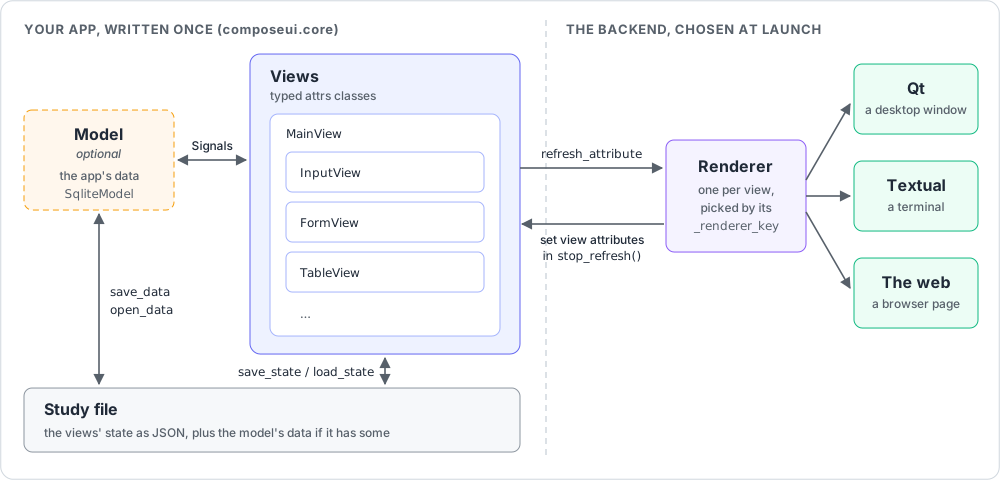
The views describe the UI. The app is a tree of views under a
MainView.composeui.coreholds them, and imports no backend.The model is optional. It holds the app’s data beside the views, for example in SQLite with
SqliteModel. Give it torunwithbuild_model=. A small app needs only views.Signals connect the views and the model. A callback asks for
view,main_view, ormodelby parameter name, and the signal gives them.A study file saves the app.
MainView.save_statewrites the views’ state as JSON, withcattrs, andload_statereads it back. A model with data of its own adds its file (save_data,open_data), and the study becomes an archive of both. See Saving and loading state.A renderer binds each view to a widget. The backend that you choose at launch gives the renderer, by the view’s
_renderer_key.The renderer syncs both directions. When code sets a view attribute, the renderer shows it (
refresh_attribute). When the user edits the widget, the renderer writes the value back into the view, from the widget’s signal.
The technical guide explains the architecture in detail.
One app, three backends
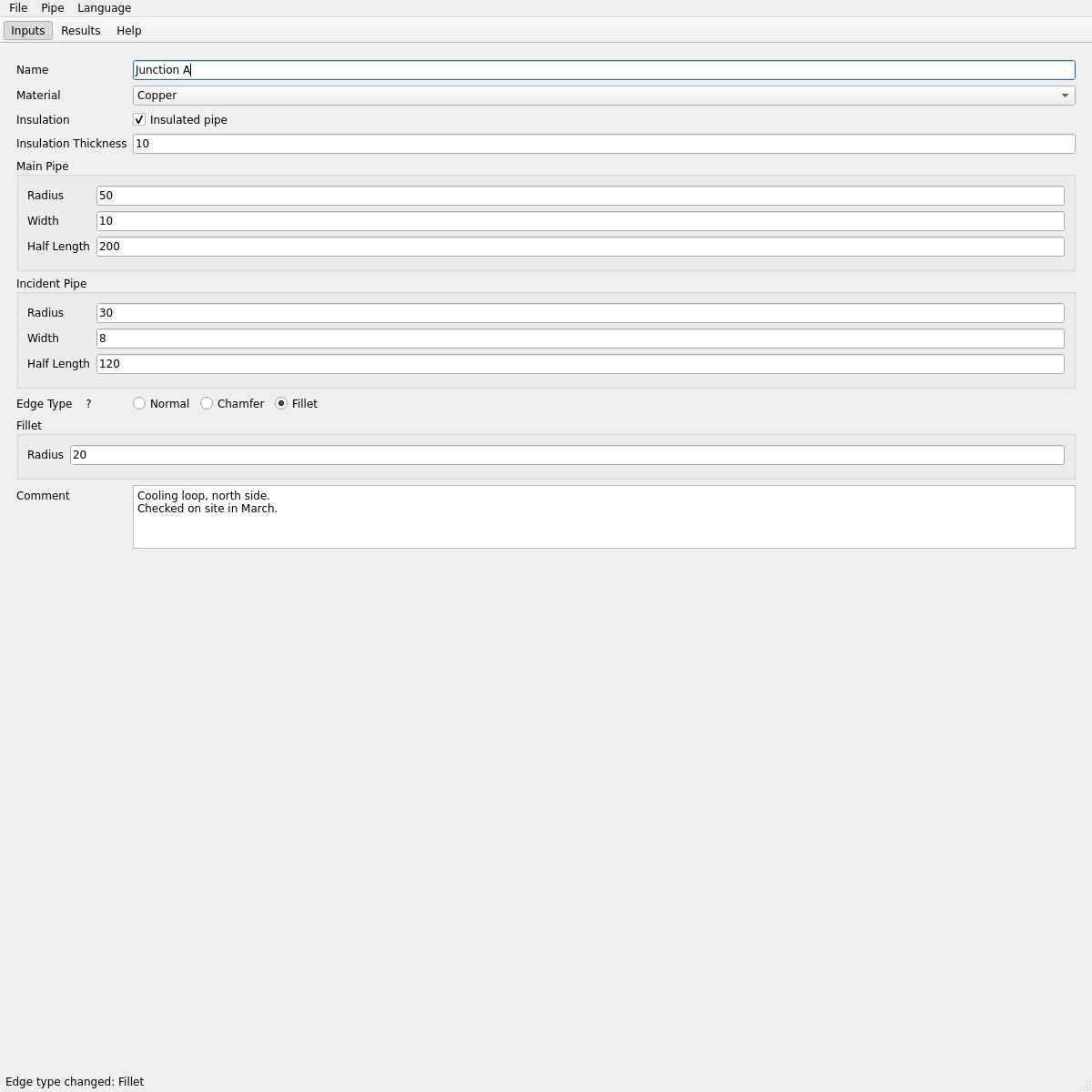
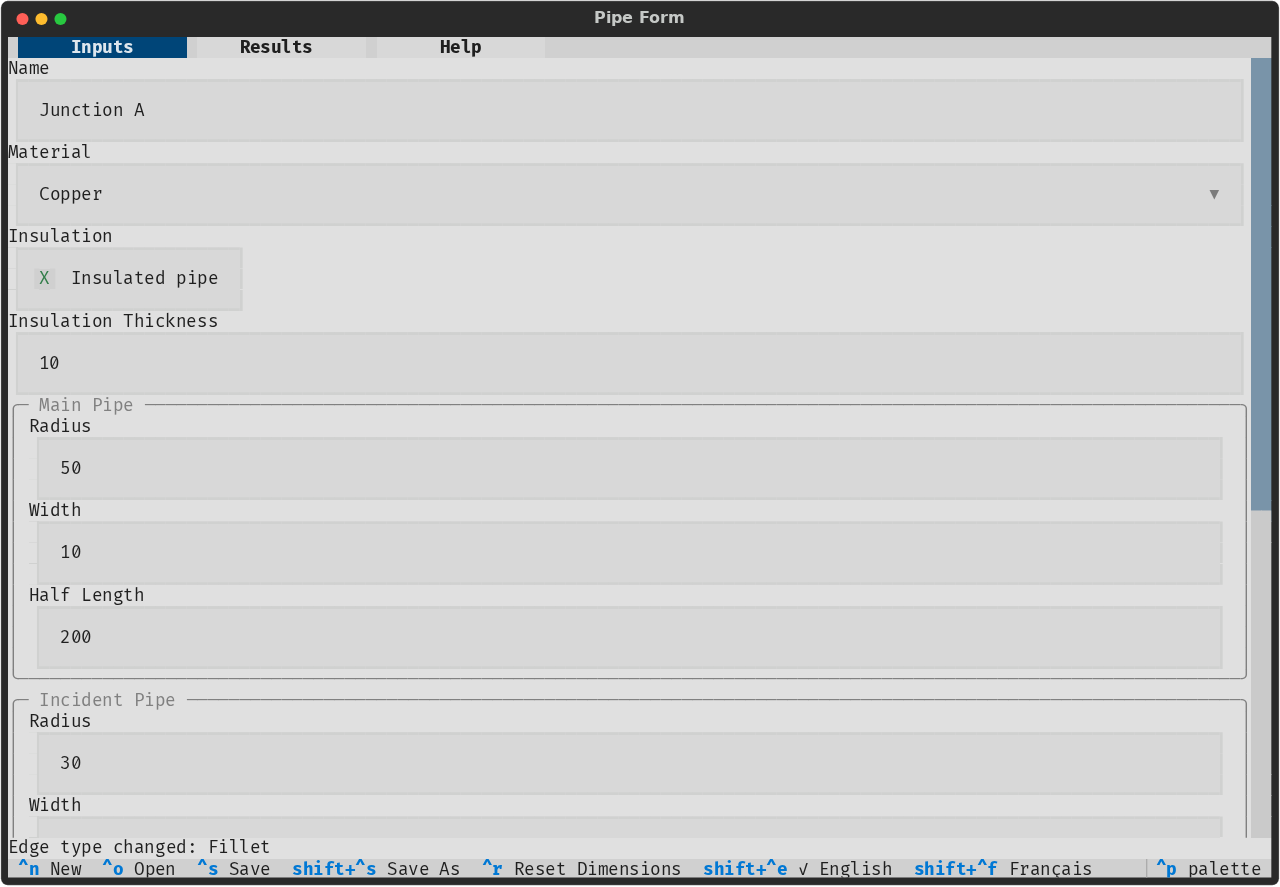
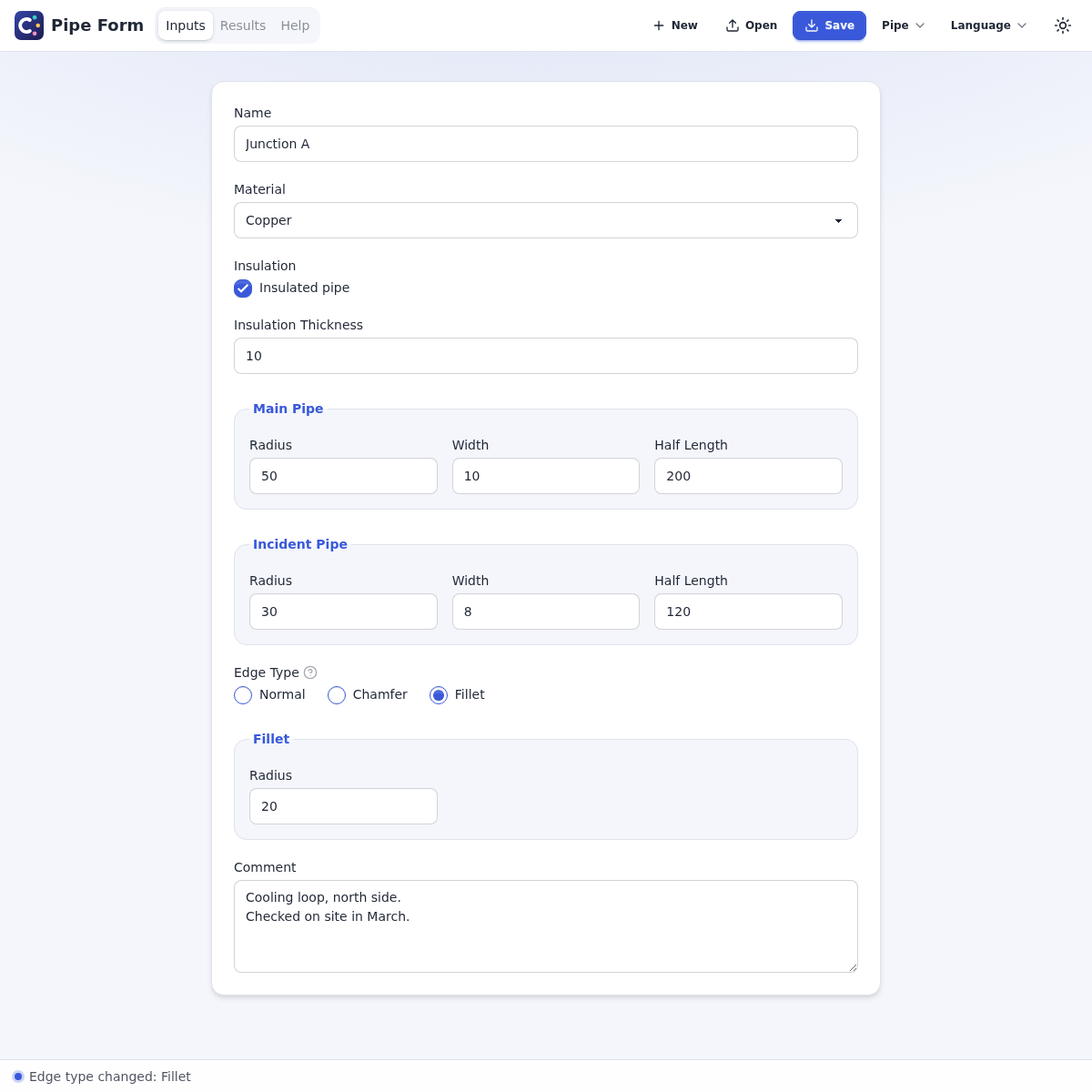
The pipe form example is one set of views. Its
--backend option picks the backend that shows it.
On Qt:
On Textual:
On the web:
Start here
Install ComposeUI and the extras of the backends that you want (see Installation in the README).
Write a first app with the Quickstart of the README.
Read the core concepts of the user guide: views, signals, the model, and studies.
Run the example apps, and read their code.
Find your way
To build an app:
The user guide explains how to build an app: the views, their layout, forms and their checks, the widgets, pages, tabs, dialogs, tables, charts, maps, threads, SQLite models, CSV imports, translations, what each backend shows, how to test an app, and how to use a coding agent.
The examples guide says what each example app shows, and how to run it.
The widget catalog lists every view that a backend renders.
The API reference documents each module of
composeui.core, and the application classes of the backends.
To work on ComposeUI:
The technical guide explains how ComposeUI works inside: its architecture, how to add a widget or a backend, the tests, and the checks.
The roadmap lists the work that is left.